Ultraviolet

Music player for Windows, macOS, and Linux

Your music server and files. One player.

Play music from Plex, Jellyfin, Emby, Navidrome, or your own folders. Bring your server library and local music together, browse them in one place, and build a queue from both. Explore composers and performer credits from supported sources.

No email or credit card required for the trial.
From $19.99, paid once. No subscription.

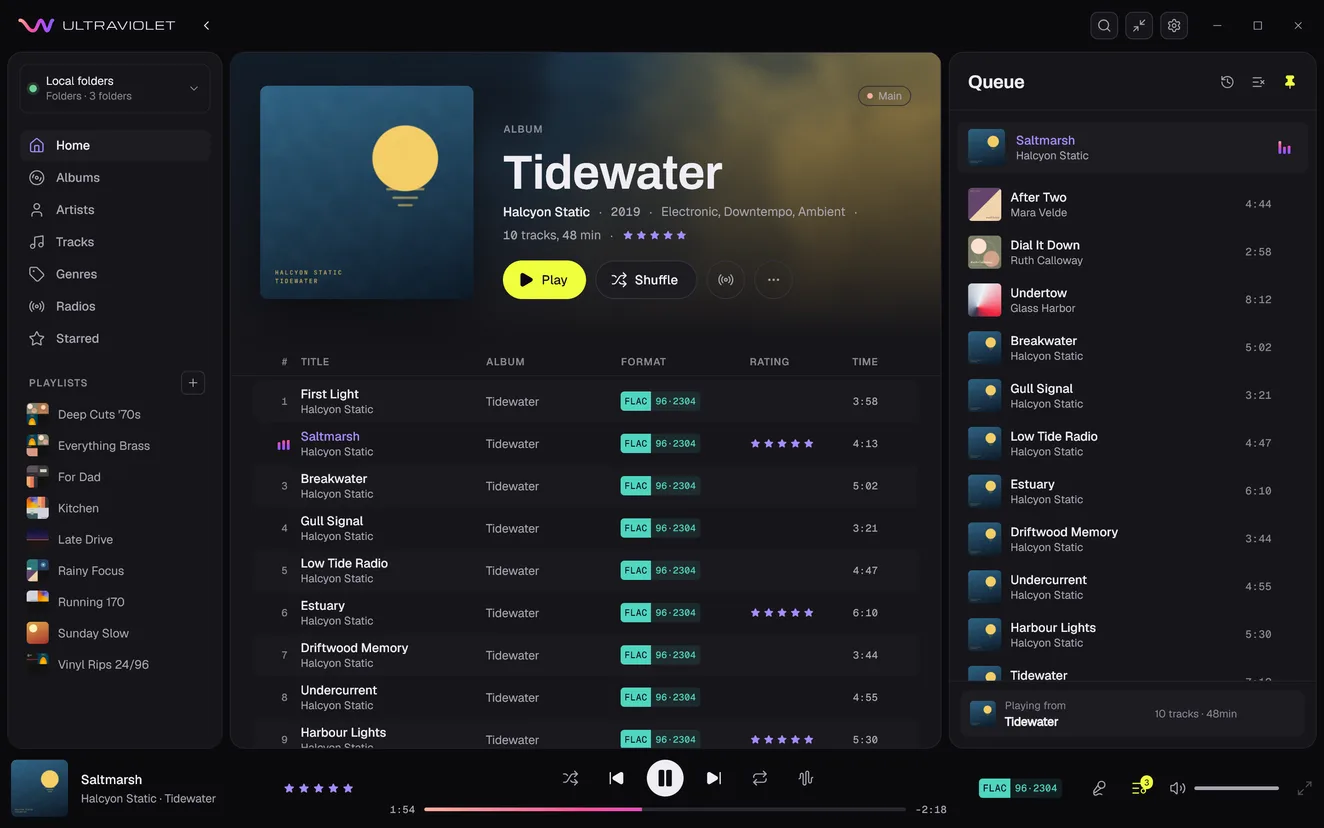
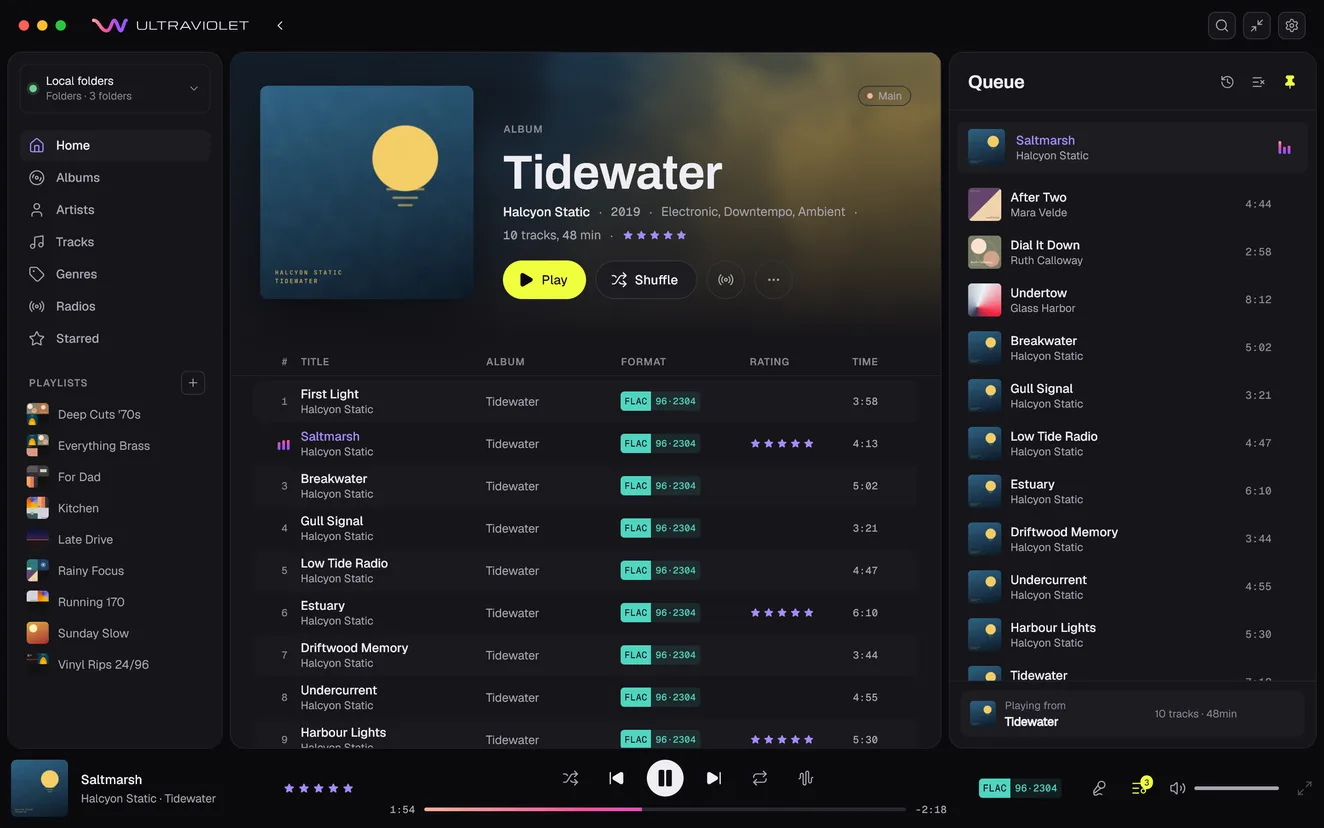
Ultraviolet's window on the album Tidewater by Halcyon Static, a hi-res FLAC from the Main library, playing its second track, Saltmarsh. The queue is pinned open beside it: After Two, Dial It Down and Undertow, from the Lounge, Oldies and Main libraries, play next, then the rest of the album.
Then a pointer clicks through the app: Genres, where the genre map opens, Electronic is picked and dived into, and Halcyon Static's panel shows their picture and albums; a new playlist, Night Shift; Tracks, where Bright Machinery's 9 tracks are selected and dragged onto Night Shift in the sidebar; and Edit metadata in their menu, which opens Edit tracks, a table of the 9 tracks, where one genre is typed over all of their genre cells.

Roadmap

What's next is included

Every feature on the roadmap comes to all 1.x license holders as it ships, at no extra cost. Link, the optional subscription, is the one exception.

  1. Phase 1

    The desktop player

    Building31 of 34 done

    • Audiobooks, Done
    • Podcasts, Planned
    • Album and track sound settings, Planned
    • and 1 more
  2. Phase 2

    License and trial

    Done5 of 5 done

    • Activate with a license key, Done
    • 14-day free trial, Done
    • One key for every platform, Done
  3. Phase 3

    UV Server

    Building0 of 4 done

    • Free Docker image, Building
    • Your folders, streamed anywhere, Building
    • Remote access, Building
    • and 1 more
  4. Phase 4

    Phone and car

    Planned0 of 5 done

    • iPhone and iPad, Planned
    • Android, Planned
    • Offline downloads, Planned
    • and 2 more
  5. Phase 5

    Link

    Planned0 of 2 done

    • Connect from anywhere, Planned
    • Your UV Server works without it, Planned
  • Done
  • Building
  • Planned
See the full roadmap

Sources

Bring your server and files into one library

Add a music server, folders on your computer, and accessible network storage. Search them together, shuffle across the collection, and play everything through one queue.

Two music libraries on one Plex server, Music and Hi-res, a folder on your computer and a share on your network flow into Ultraviolet as one library, with one Shuffle everything, one search and one queue across all of it.

Plex

Combine the music libraries on your Plex server with local folders and network shares.

Jellyfin and Emby

Play your server's music and playlists, with playback activity and supported ratings or favorites saved back to the server.

Navidrome and Subsonic

Access your server's music and playlists, alongside files on your computer and network.

Local folders and network storage

Play files where they are stored. No music server or upload to Raildyne required.

Credits

Browse by composer, conductor, or performer

Find the people behind your music, not just the album artist. Open a name in a track's credits to see what that person composed, conducted, performed, or helped produce, grouped by their role.
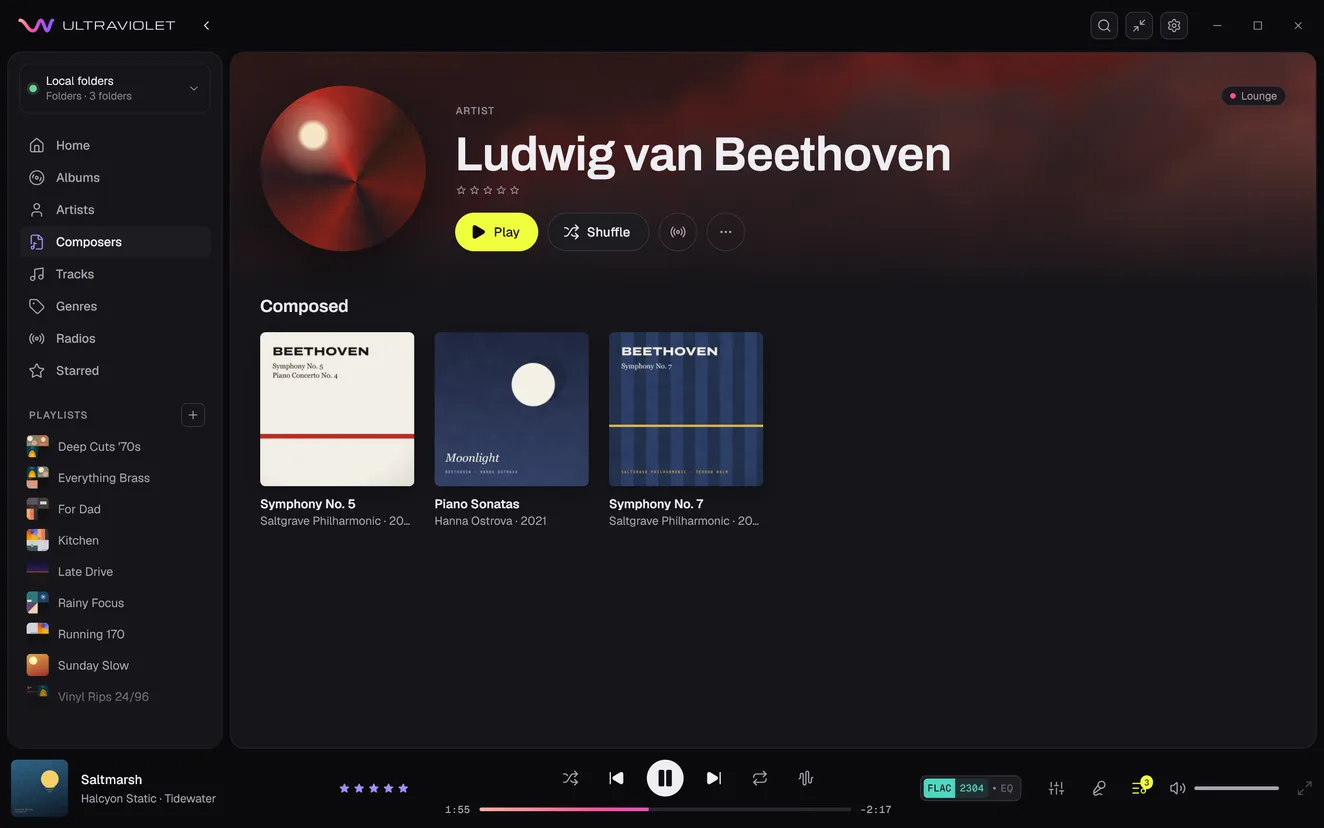

Ludwig van Beethoven's page, opened from Composers in the sidebar: his picture over the header with Play, Shuffle and radio, and under Composed, three albums of his music: Symphony No. 5 and Symphony No. 7 by the Saltgrave Philharmonic, and Piano Sonatas by Hanna Ostrova.
The Credits of Piano Concerto No. 4 in G major, Op. 58: I. Allegro moderato: Ludwig van Beethoven, composer; Teodor Halm, conductor; Hanna Ostrova, piano; Lise Marchand, producer; Paul Oduya, engineer; each name a link.
Find a composer in the sidebar or search, then open their page to browse what they wrote. The Composers section appears when your library has composer tags. Shown with local folders.

Ultraviolet reads credits already stored in your music tags. Credit support depends on the source, as shown below.

Classical works

Play a complete work, with its movements in order

See movements grouped under their work, with a total playing time and a Play button for the whole piece. Ultraviolet uses work tags where available, or recognizes the work from track titles that name it.

Symphony No. 5 in C minor, Op. 67, with its movements grouped beneath it. Work grouping requires suitable tags or track titles.
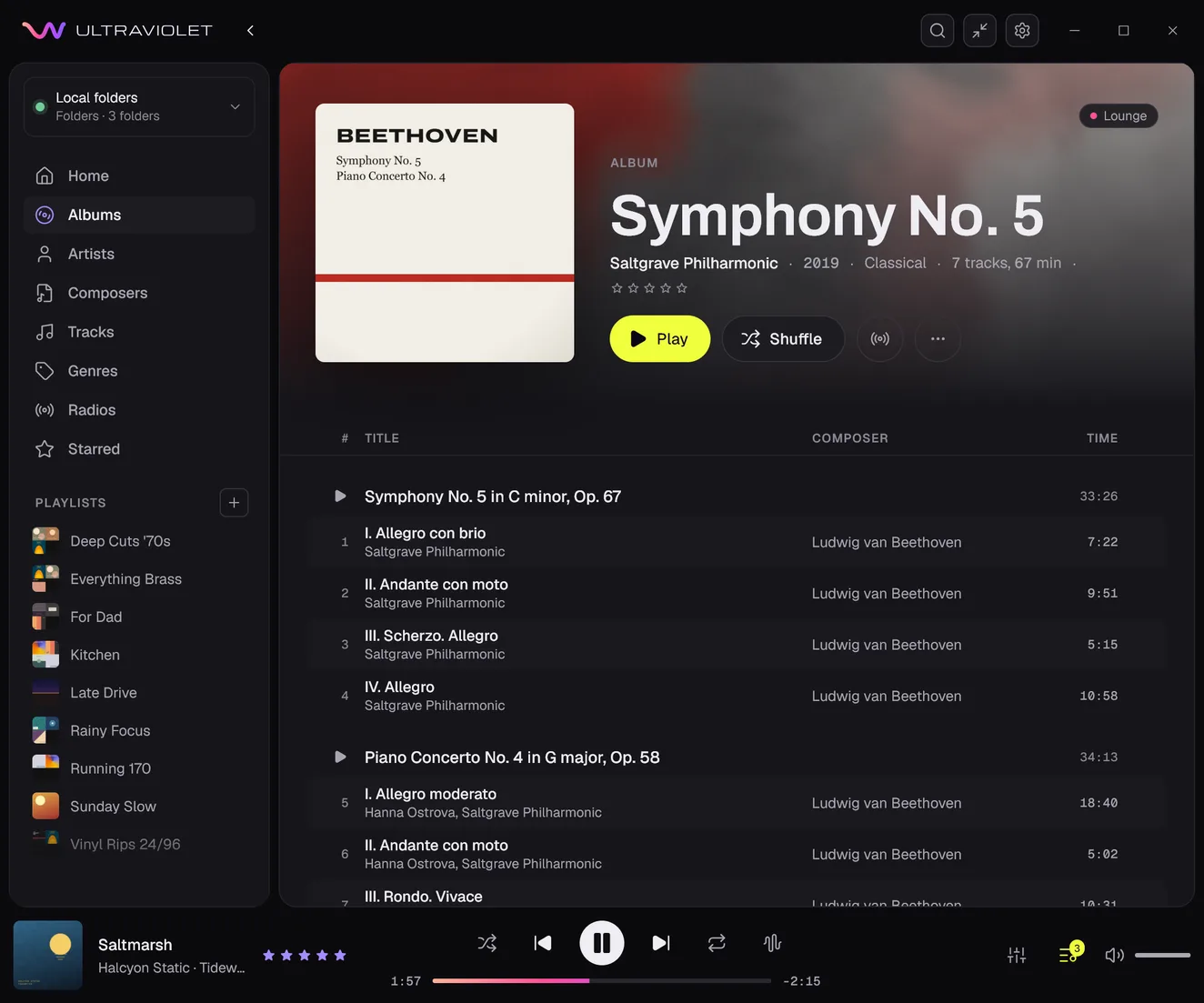
The album Symphony No. 5's tracks under two works, each with a Play button and its length: Symphony No. 5 in C minor, Op. 67, 33:26, over its four movements, from I. Allegro con brio to IV. Allegro, each by Ludwig van Beethoven in the Composer column, then Piano Concerto No. 4 in G major, Op. 58, 34:13, over its movements.

Ultraviolet reads the credits in your files

On your folders and shares, it shows the credits your tags hold, and you can edit composers on any source. Servers pass on less: here is what each one gives. Plex gives none itself, but the composers you add in Ultraviolet can be browsed and searched there, and the conductors and lyricists you add show in a track's credits and can be used in smart playlists.

Music sourceComposer browsing and searchComposer column and smart playlistsOther contributor creditsClassical work groupingEdit composer
YesYesYesWork tags or track titlesYes
YesYesConductor and lyricistTrack titlesYes
YesNoNoTrack titlesYes
Added in UltravioletNoConductor and lyricist, added in UltravioletTrack titlesYes

Other contributor credits are conductors, performers and their instruments, lyricists, arrangers, producers, engineers, mixers, and remixers. Other Subsonic servers can provide composers if they support OpenSubsonic credits.

Make a playlist by composer

Use a composer rule to build a smart playlist, such as every Bach track in your collection. Available for local folders, Navidrome, and Emby. You can also add a Composer column to track lists and sort by it on these sources.

Correct composer tags in your files

Edit a track's composer in Ultraviolet and save it to the file. Supported for FLAC, Ogg, MP3, and M4A files in your local folders.

Artists

Find the music an artist contributed to

Open an artist from a track's credits, including featured performers. Albums by several artists appear on each artist's page, and Appears On brings together albums where they contributed, alongside their own releases.

Separate artists filed under one name

When a collaboration is tagged as one name, separate it into the real artists. Ultraviolet saves the change to your files or server where it can, and keeps it on your computer where it can't.

Plex limitationCredited names link to matching artists in your library. On Plex, Appears On lists the credits you add in Ultraviolet.
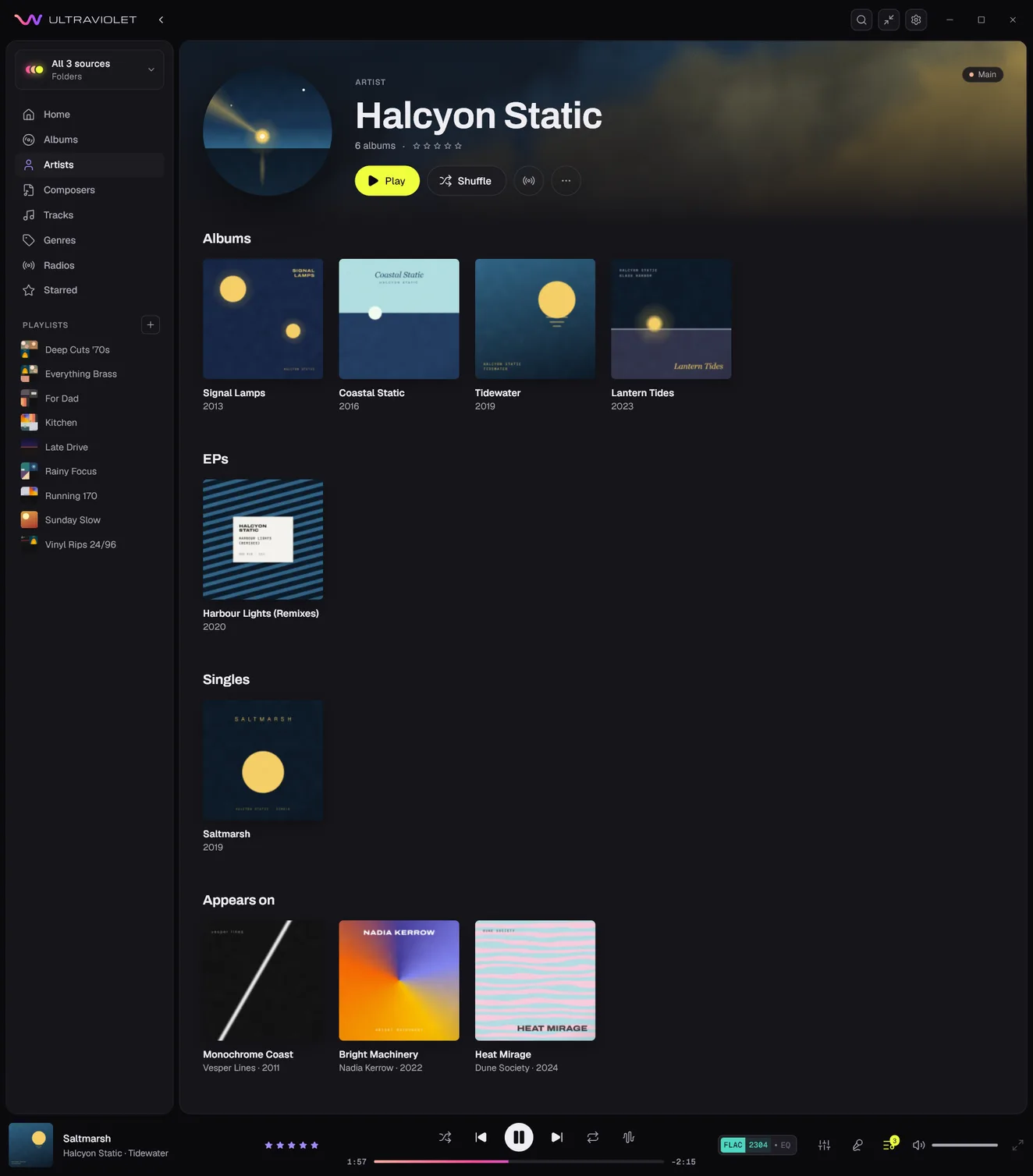
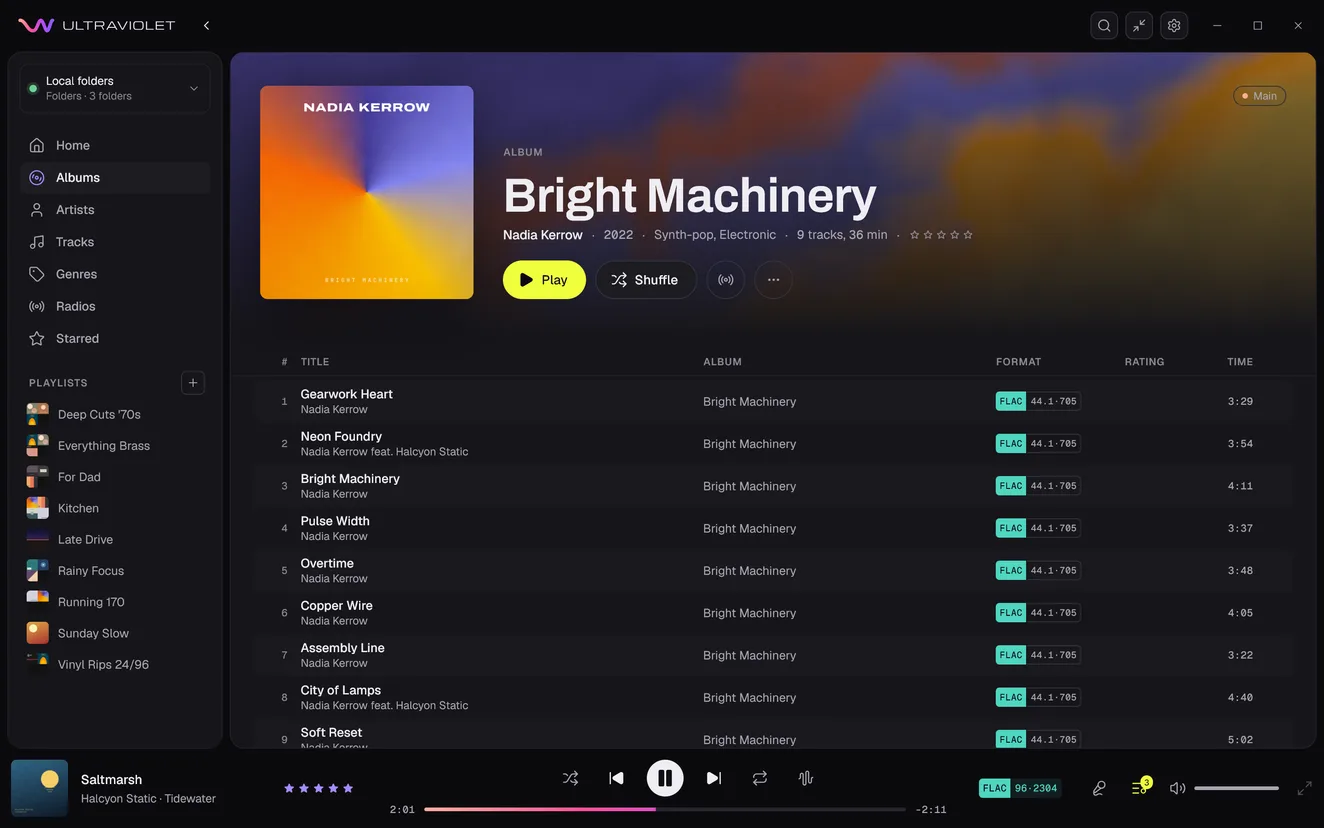
Halcyon Static's artist page: their picture, a lighthouse's beam over a night harbour, over the header with Play, Shuffle and radio; their albums split by kind of release, Albums (Signal Lamps, Coastal Static, Tidewater and Lantern Tides), EPs (Harbour Lights (Remixes)) and Singles (Saltmarsh); and under Appears on, three albums by others that credit them: Monochrome Coast by Vesper Lines, Bright Machinery by Nadia Kerrow and Heat Mirage by Dune Society.
Three tracks of Nadia Kerrow's album Bright Machinery: Gearwork Heart by Nadia Kerrow, Neon Foundry by Nadia Kerrow feat. Halcyon Static, and Bright Machinery by Nadia Kerrow.
Shown with local folders.
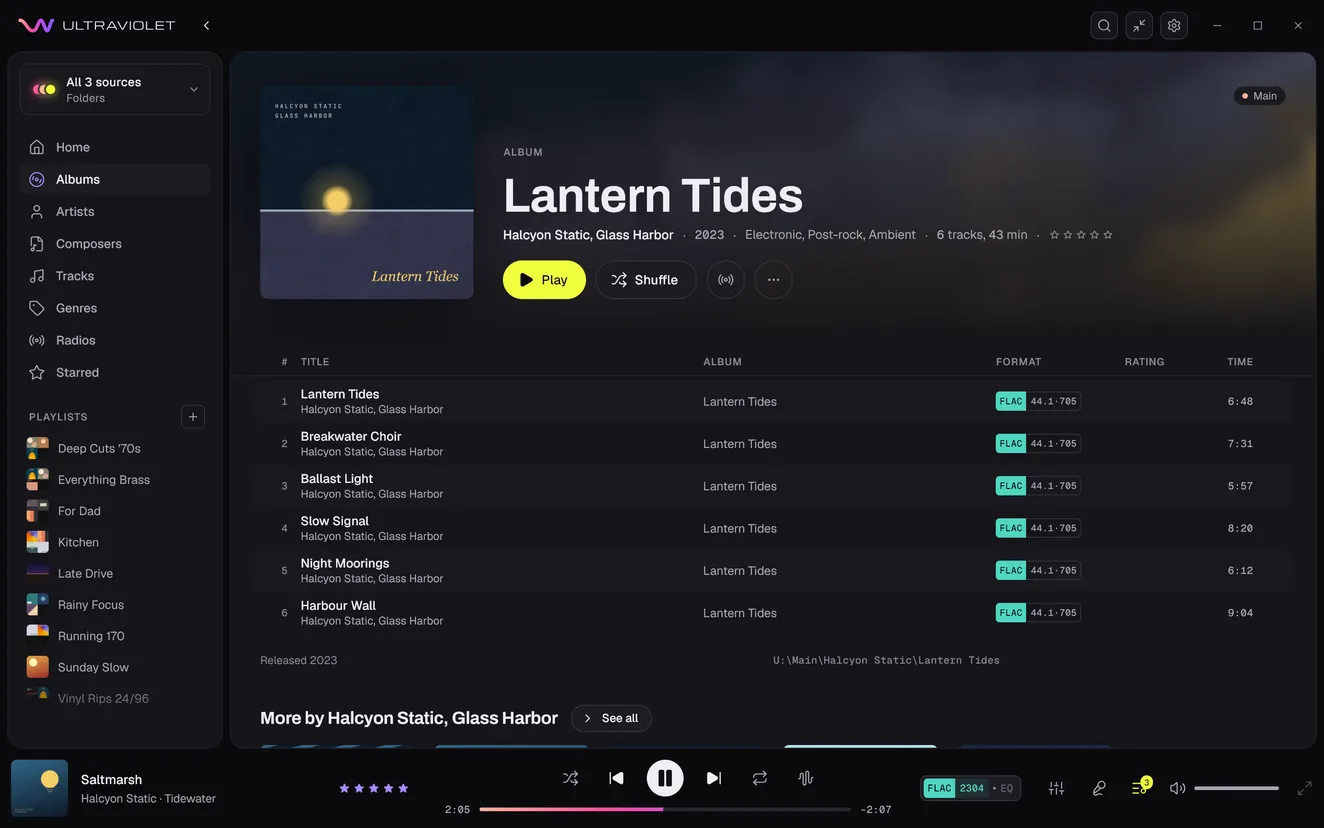
The album Lantern Tides: its cover, the artist line Halcyon Static, Glass Harbor, then 2023, Electronic, Post-rock and Ambient, and 6 tracks, 43 min; its first track, Lantern Tides, by Halcyon Static, Glass Harbor.
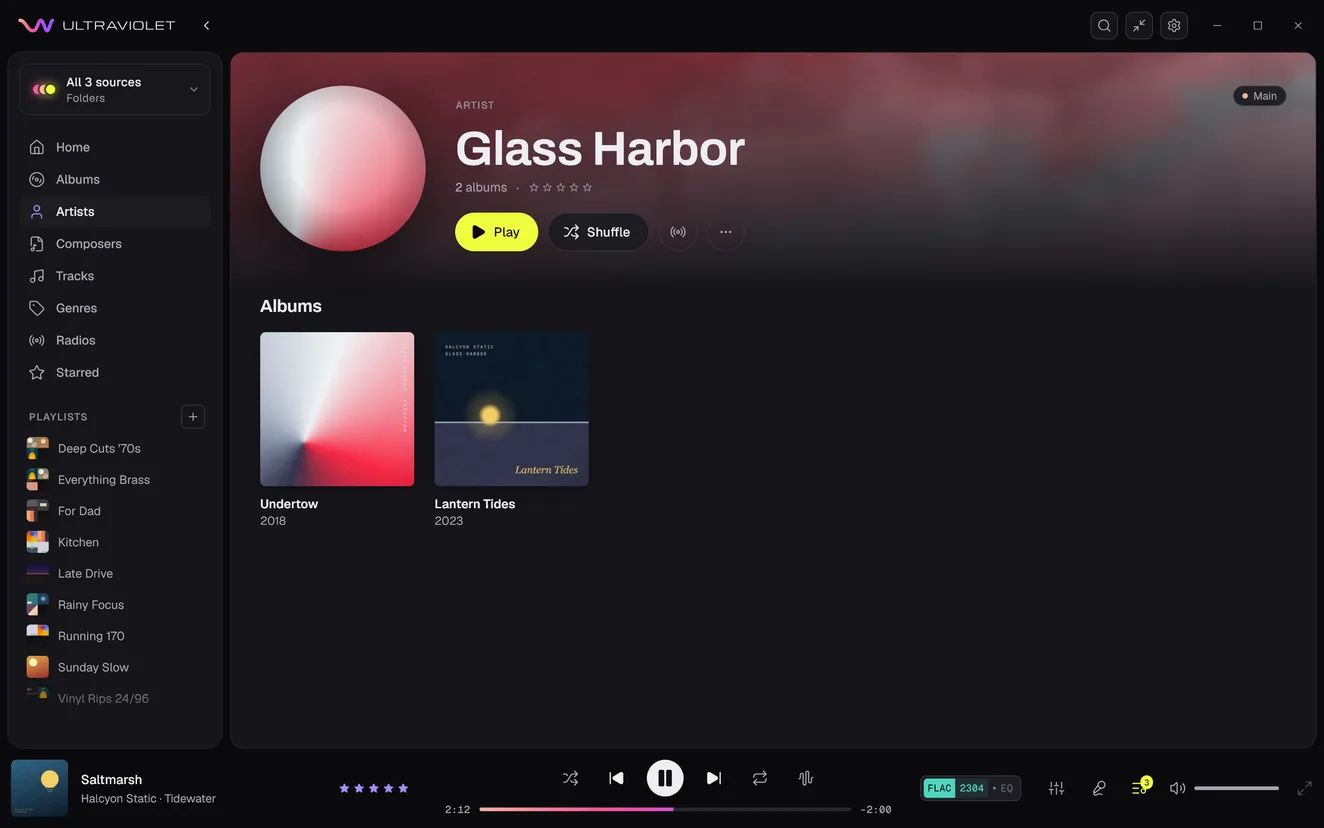
Glass Harbor's artist page: 2 albums, their own Undertow and Lantern Tides.
An album by Halcyon Static and Glass Harbor, listed on each artist's page. Shown with local folders.

Audiobooks

Audiobooks pick up where you left off

Your place is saved in every book and every chapter. Books have a shelf of their own, so they never get mixed in with your music.
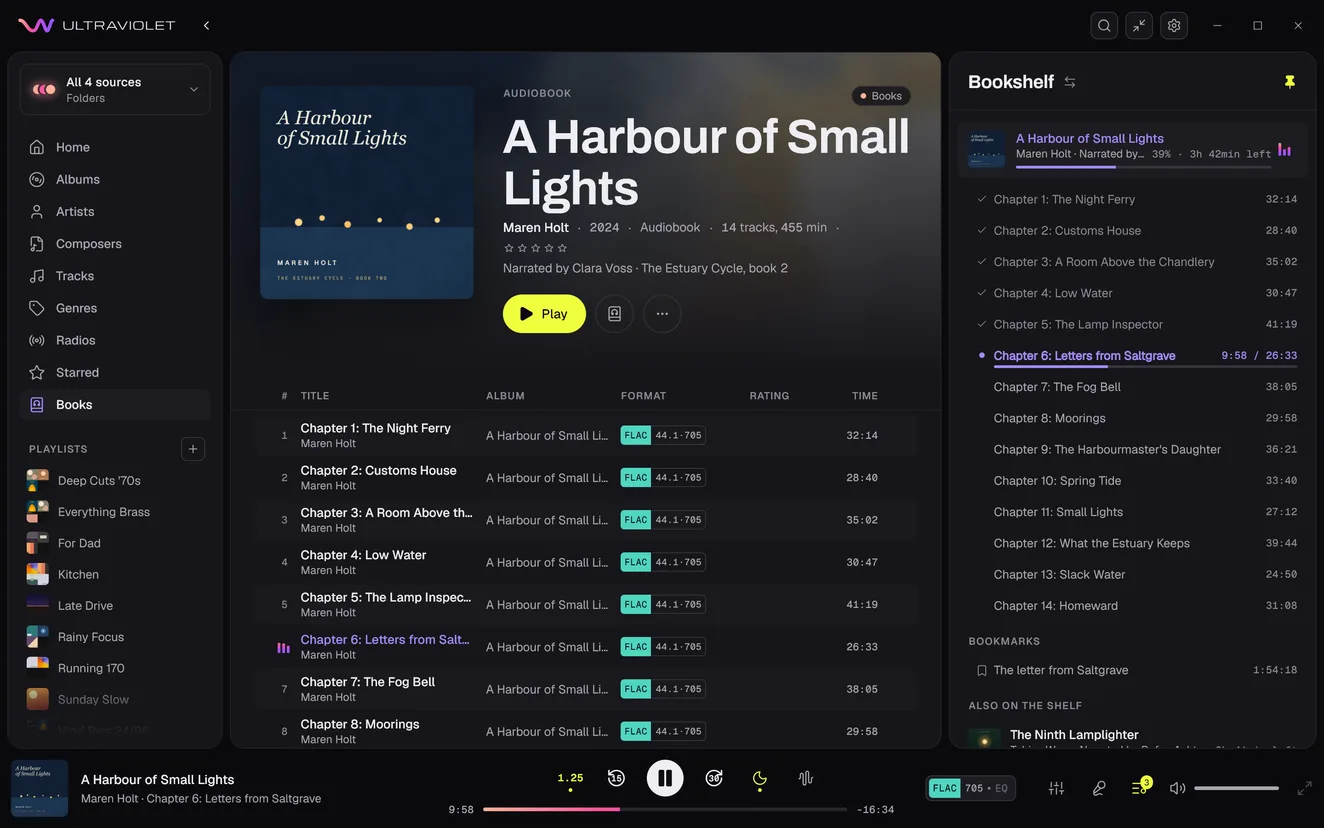
A Harbour of Small Lights by Maren Holt, playing: its page, labelled Audiobook, 2024, narrated by Clara Voss, The Estuary Cycle, book 2, over its chapters, the sixth playing. Beside it the bookshelf: the book at 39 per cent with 3 h 42 min left, its fourteen chapters under it, the first five checked as heard and the sixth, Letters from Saltgrave, at 9:58 of 26:33, then a bookmark, The letter from Saltgrave, at 1:54:18, and The Ninth Lamplighter, also on the shelf. The player bar shows the book, its author and chapter, the speed at 1.25, back 15 seconds, pause, forward 30 seconds and the sleep timer on.

Your place in every chapter

Go back to a chapter and it carries on where you stopped, and the chapters you have finished are checked off. Resuming after a pause goes back a few seconds, so you hear the sentence again.

A book in a single file keeps one place for the whole book.

Kept apart from your music

Books stay out of shuffle, radio, smart playlists and recently played. Play a song and the book steps aside with its place saved, and your queue comes back as you left it.

Made for listening to books

Change the speed from 0.5x to 3x, go back 15 seconds or forward 30, set a sleep timer for the end of the chapter, and bookmark a moment with a note.

Books

Your books, on a page of their own

The books you are partway through come first, each with how far you have got and the time left. Below them is every book, sorted by author, title, series, narrator or date added.

An album counts as a book when its library is marked Audiobooks in Settings, its genre is Audiobook, or its files are .m4b.
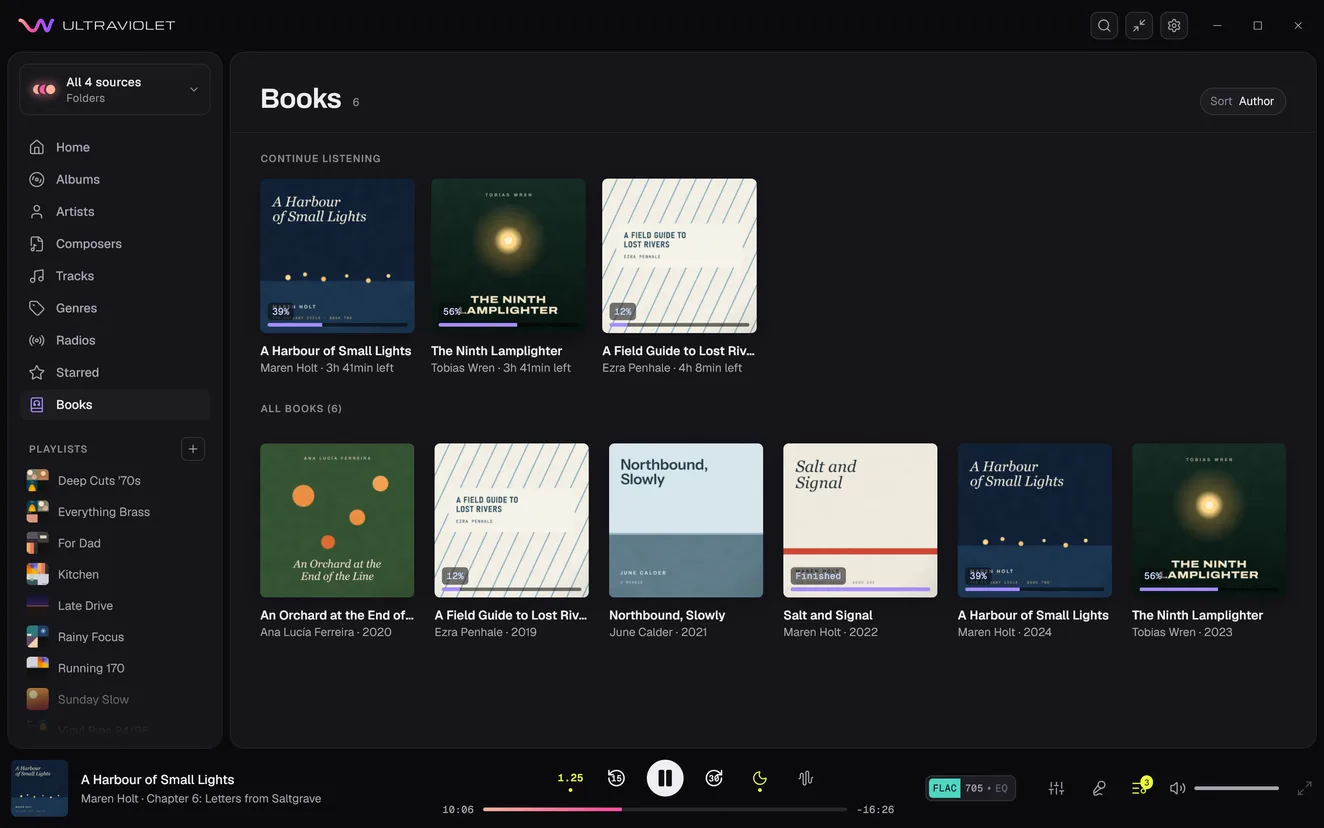
The Books page: under Continue listening, A Harbour of Small Lights at 39 per cent with 3 h 41 min left, The Ninth Lamplighter at 56 per cent with 3 h 41 min left and A Field Guide to Lost Rivers at 12 per cent with 4 h 8 min left; under All books, by author, An Orchard at the End of the Line, A Field Guide to Lost Rivers, Northbound, Slowly, and Salt and Signal, marked Finished.

Radio

Start a mix. Keep it for next time.

Choose a track, album, artist, or genre to start a radio mix from your collection. Ultraviolet keeps adding music as you listen and saves the radio so you can return to it later.
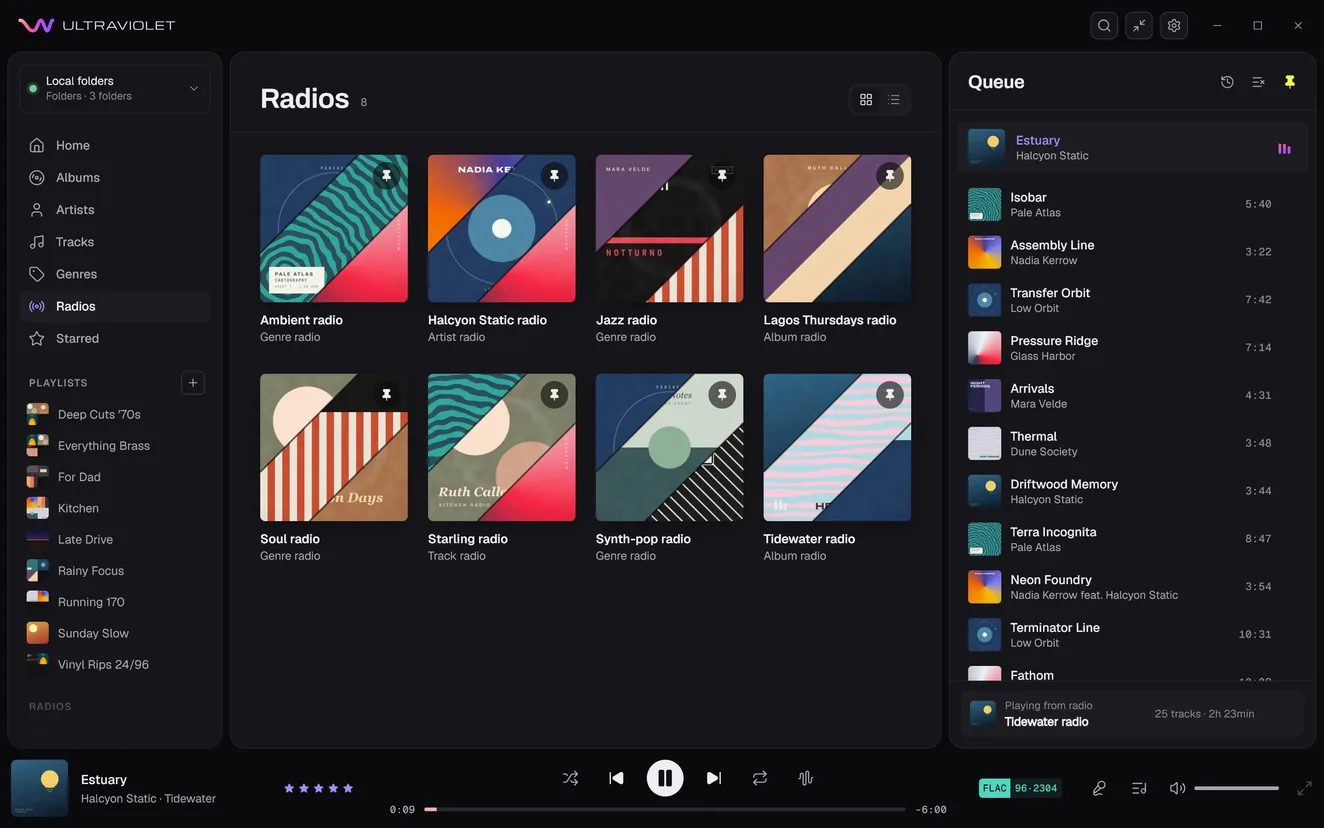
Ultraviolet's Radios page with eight saved radios, each pinned, each card three of its albums cut on the diagonal: Ambient, Jazz, Soul and Synth-pop radios from genres, Halcyon Static radio from an artist, Lagos Thursdays and Tidewater radios from albums, and Starling radio from a track. Tidewater radio plays Estuary, and the queue beside it lists what it picked from the collection, from Isobar by Pale Atlas to Fathom by Glass Harbor, with Playing from radio, Tidewater radio, 25 tracks at its foot.
  1. Keep favorite mixes close

    Your radios appear on the Radios page and can stay pinned in the sidebar.

  2. Get a fresh selection

    Play a saved radio again for a new mix. Rename it, unpin it, or remove it whenever you like.

Genres

Explore your collection by genre

See how the genres in your library connect. Select a genre to browse its artists and albums, then start playing from the map.
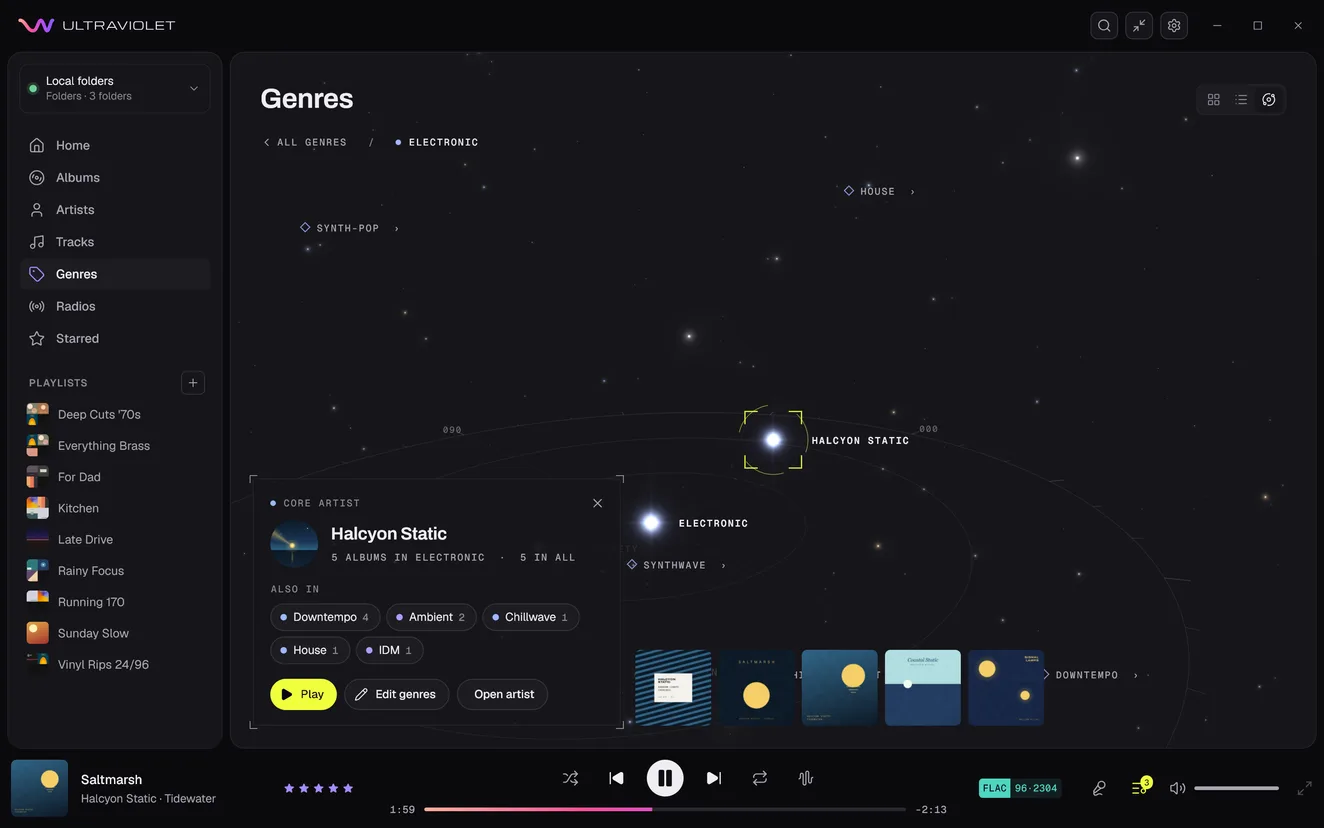
Ultraviolet's genre map, opened on Electronic: Synth-pop, House, Synthwave and Downtempo around it as stars, with Halcyon Static picked. Its panel shows their picture and says Core artist, 5 albums in Electronic, 5 in all, lists the other genres they're in, Downtempo, Ambient, Chillwave, House and IDM, and has Play, Edit genres and Open artist, with their five albums beside it.

Search every library, or one playlist

Find artists, albums, tracks, and playlists from one search, with each result's library clearly identified. From a playlist, search just its tracks and go straight to the one you want.

Shuffle with more variety

Spread artists and albums through the queue and give recently played tracks a rest.

Tags

Edit an entire album at once

Correct titles, artists, album details, genres and credits in one table, on any source. Apply a change to several tracks, find and replace text, or use filenames to fill in titles. Review your edits before saving.

Fix albums that appear more than once

Merge split albums on Plex or in your local collection. Use Fix match to move a Plex album filed under the wrong artist.
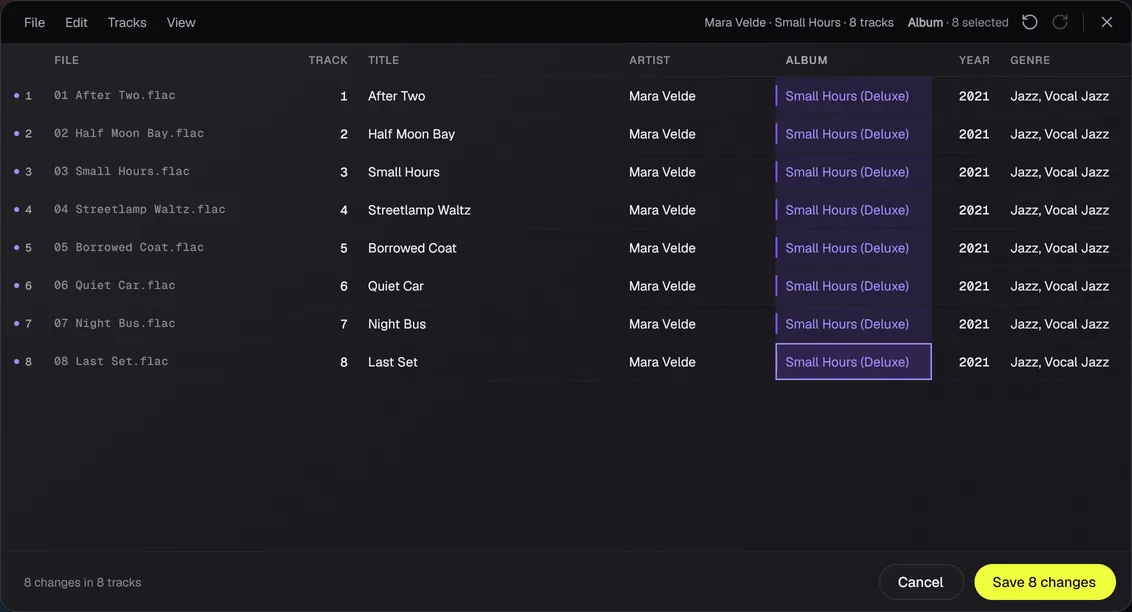
Edit tracks on the eight tracks of Small Hours by Mara Velde: a row for each, with its file, number, title, artist, album, year and genre. Small Hours (Deluxe) has been typed over all eight album cells, which are tinted as changed, and the button reads Save 8 changes.

Every tag, on every source

Edit composers, conductors, release types, moods, BPM and more, even where your server can't store them. Give an album several artists, and mark compilations so they stay together.

Changes are saved to your files or server where supported. Anything else is kept by Ultraviolet on this computer and does not sync to other devices.
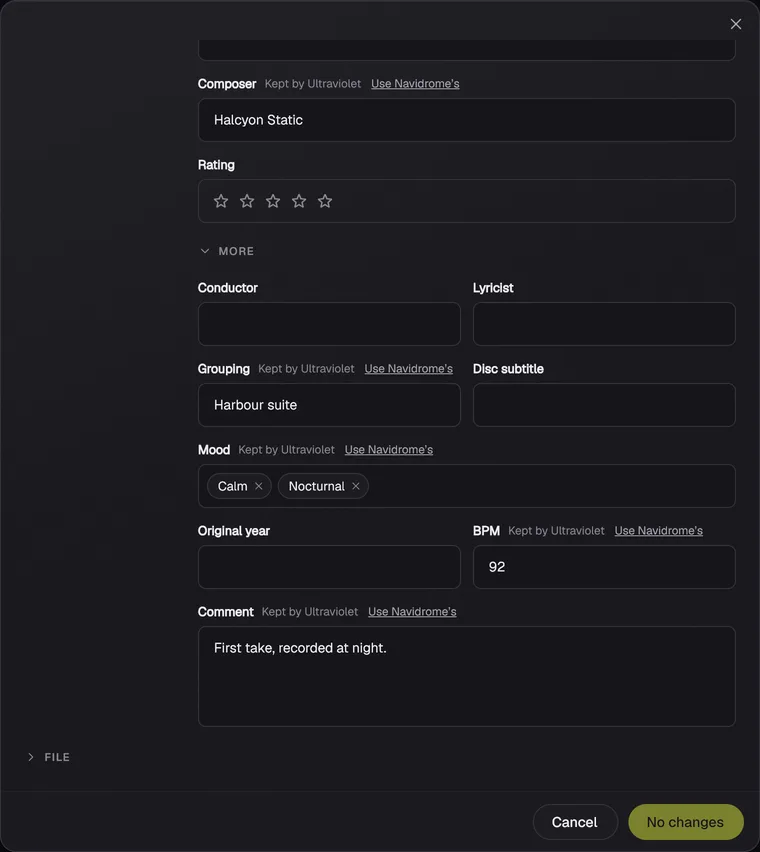
Edit metadata of the track Breakwater, from Navidrome, with More open: Conductor, Lyricist, Disc subtitle and Original year empty; Grouping, Harbour suite, Mood, Calm and Nocturnal, BPM, 92, and Comment, First take, recorded at night, each marked Kept by Ultraviolet, with Use Navidrome's beside it.

Listening

Lyrics, visualizer, and playback

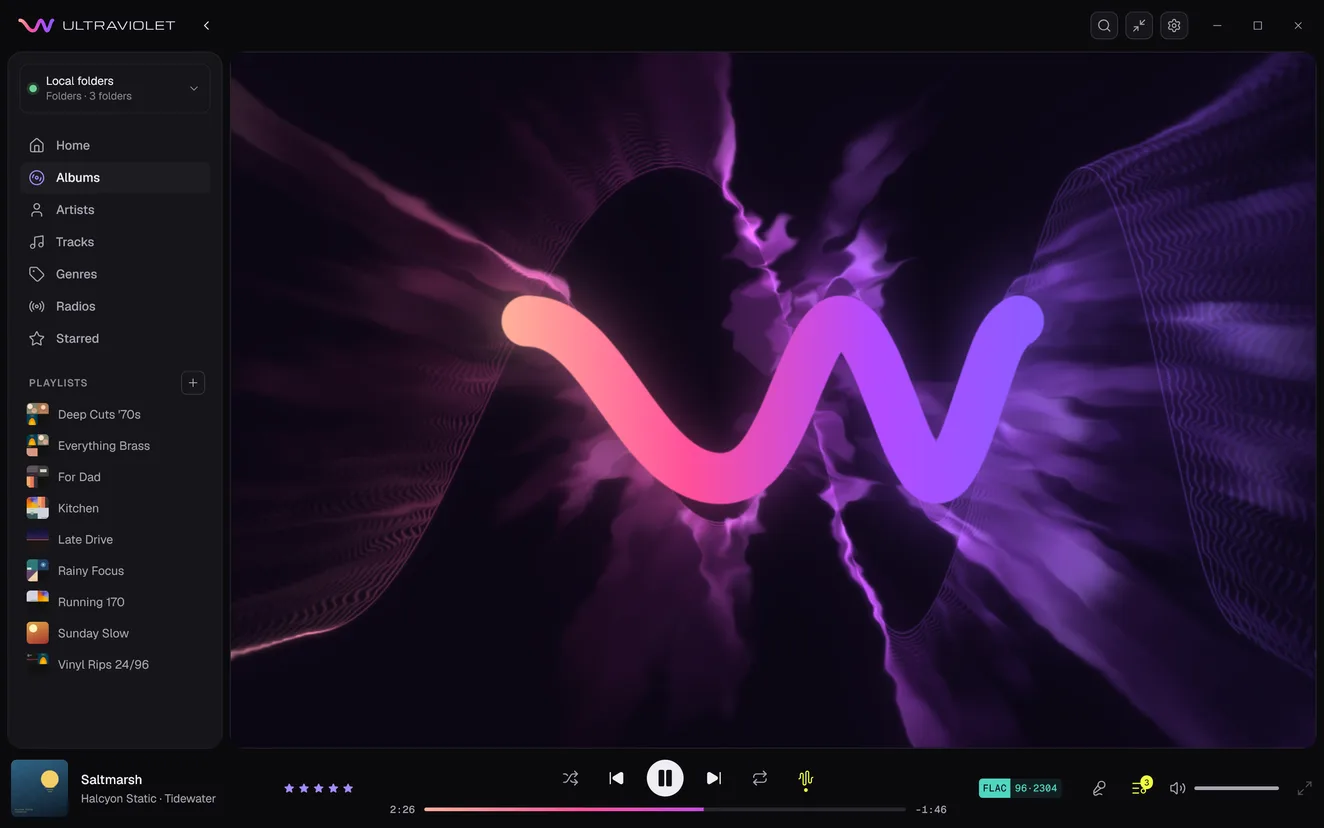
The visualizer on the preset Ultraviolet - Lock: the logo's wave drawn in peach, pink and violet over smoke-like violet light.

Play music with MilkDrop visuals

Choose from nearly 10,000 presets that react to the music. Save favorites, hide presets, or add your own.
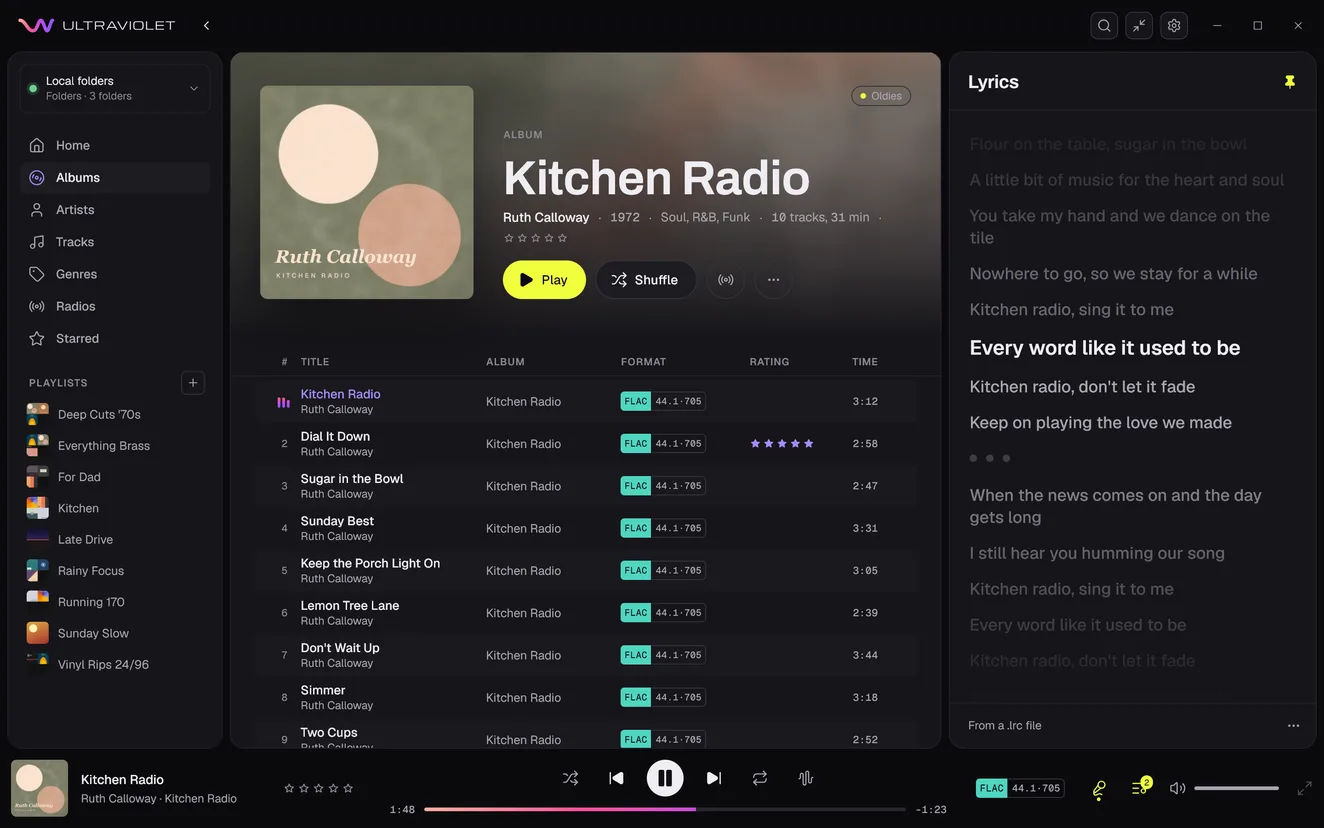
Kitchen Radio's synced lyrics at 1:48: the line being sung, Every word like it used to be, brightest, the lines before it dimmer.

Follow the lyrics as the song plays

Read lyrics from your files or supported servers, look up missing lyrics online, or add your own. Timed lyrics follow the current line as you listen.

Gapless playback

Play live recordings, mixes, and continuous albums without added pauses between tracks.

Consistent listening levels

Reduce volume differences between tracks, or preserve an album's relative levels. Requires supported loudness analysis or ReplayGain tags.

Playlists, the queue, and skipping tracks

Build playlists by dragging

Drop tracks or albums onto a playlist, then arrange your playlists in the order you want. See which playlists already hold a track or any song from an album.

Keep control of the queue

Choose what plays next, rearrange upcoming tracks, and revisit recent listening in History. Your queue is remembered between sessions.

Skip tracks without deleting them

Exclude intros, skits, or entire albums from regular playback. Keep them in your library to play directly whenever you want.

Out of the way

Control playback without reopening your library

Use a compact window, a small playback bar, or your system tray while you work.

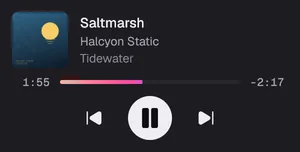
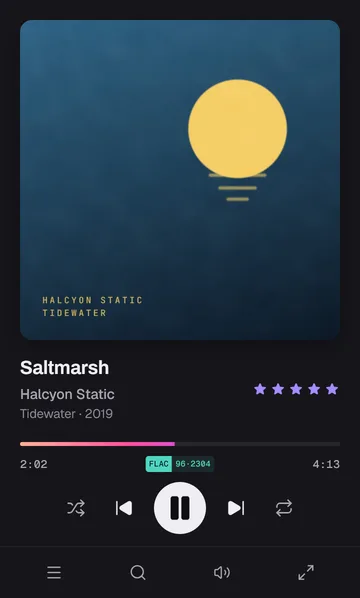
Ultraviolet's window on Tidewater. A pointer clicks the collapse button in its header, and the window folds to a slim column of now playing at its top right: the cover, Saltmarsh by Halcyon Static, and the controls. Then it clicks the expand button at the column's foot, and the full window comes back.
The bottom right corner of a screen, with Ultraviolet's window open. As Saltmarsh starts, the mini player's bar slides in from the screen's edge to the corner, stays a few seconds and slides away. Then a pointer rests in the corner and the bar comes up; pointed at, it shows play, pause and next; the pointer leaves and it slides away. Then, Always shown, the bar is dragged across the window and stays where it is dropped.
The bottom right corner of a screen with Ultraviolet's window open. A pointer clicks the window's close button: the window and its taskbar button go, and the music plays on. The pointer rests on Ultraviolet's icon in the notification area, and a popover comes up over it: Saltmarsh's cover, the title, Halcyon Static and Tidewater, how far it has played, previous, pause and next. A click on the track brings the window back.
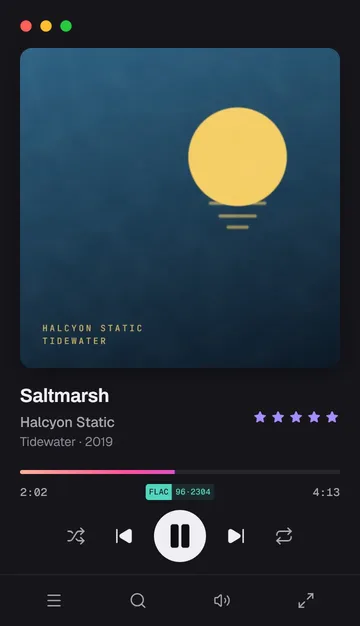
The top right corner of a Mac's screen with Ultraviolet's slim window open. A pointer clicks the window's red close button and the window goes, while the music plays on. The pointer clicks Ultraviolet's icon in the menu bar, and a popover opens under it: Saltmarsh's cover, the title, Halcyon Static and Tidewater, how far it has played, previous, pause and next. A click on the track brings the window back.

Compact window

Keep album art and playback controls in a smaller window, with your library and queue still accessible.

Mini player

Keep a small playback bar on screen, show it when the track changes, or reveal it from a screen corner.

Tray controls

Keep music playing after you close the main window. Use the Windows tray, macOS menu bar, or a supported Linux system tray to control playback.

Your keyboard's media keys and supported system media controls work too.

Equalizer

Graphic or parametric

Graphic view offers 10, 15, or 31 fixed-frequency bands. Parametric offers up to 128 bands, each with its own frequency, gain, Q, and filter shape, set on the curve or by value. Dynamic bands adjust their gain with the level of the music.

Linux .deb limitationThe .deb uses your distribution's FFmpeg, so dynamic bands need FFmpeg 7.0 or later (Debian 13, Ubuntu 25.04 and newer). Windows, macOS, and the AppImage include everything.

Headphone correction

Choose your headphones from AutoEq's corrections for more than 6,000 models, or import a correction file. The correction sits under your own settings and can be fine-tuned. Each audio output keeps its own settings and correction.
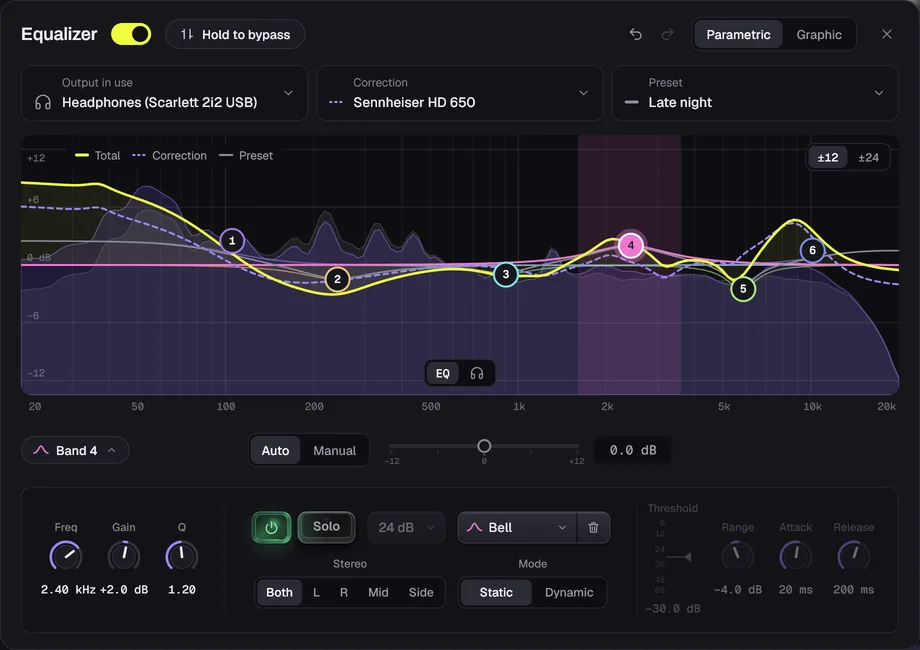
The Equalizer, on, in Parametric: the output in use, Headphones (Scarlett 2i2 USB), the correction Sennheiser HD 650 and the preset Late night. A plot of the total curve over the correction's dashed curve and the preset's, with six bands over the spectrum of the track playing, and band 4 picked. Under it, band 4's settings: 2.40 kHz, +2.0 dB and Q 1.20, Solo, the Bell shape, Stereo on Both (or L, R, Mid or Side) and Mode on Static (or Dynamic).

Casting

Play on the speakers around your home

Send your music from your computer to a speaker, receiver, or TV, and it carries on from the same spot. Ultraviolet becomes the remote, with your queue, volume, and lyrics still on screen.

Sonos

Your rooms, listed by name. A file above 48 kHz is converted as it plays, and stays 24-bit.

Google Cast

Devices with Chromecast built in, such as receivers and TVs.

UPnP and DLNA

Receivers and streamers on your network that accept music over UPnP.

No Raildyne account. No listening analytics.

Your music files stay on your server and devices. Ultraviolet does not send Raildyne usage statistics about your library or listening activity.

Online lyrics, artwork, similar-artist searches, and playlist suggestions contact external services using the music details needed for the request. Lyrics lookup is on by default; the other lookups are opt-in. You can control them in Settings.

Read the privacy policy

Buy once. No subscription.

Try every current Solo feature free for 14 days. No email or credit card required, and no automatic charge when the trial ends.

Try free for 14 days

Essentials

For one person on one device

$19.99

One-time purchase

  • One license key
  • One device at a time
  • All current player features except the Equalizer and batch tag editing
  • Every 1.x update included
Buy Essentials

Solo

For one person

Launch price $29.99 was $39.99

One-time purchase. Launch price.

  • One license key
  • Up to 3 of your devices at a time
  • All current player features
  • Every 1.x update included
  • 1 month of upgrade protection
Buy Solo

Family

For up to six people in one household

$79.99

One-time purchase

  • Six individual license keys
  • Up to 3 devices per person at a time
  • All current player features
  • Every 1.x update included
  • 6 months of upgrade protection
Buy Family

Upgrades

Already own an edition? Pay the difference to move up.

Essentials is Ultraviolet on one device, without the Equalizer and batch tag editing. Solo and Family include every player feature. Choose Family for additional people, not additional features.

Every 1.x update is included. If a paid 2.0 upgrade is released, existing owners pay no more than half price.

Upgrade protection includes the next paid major version at no extra charge if it is released within one month of your Solo purchase or six months of your Family purchase.

Available for Windows, macOS, and Linux. See the roadmap for mobile and car support.

Questions before you download

Do I need a music server?

No. You can play folders on your computer and accessible network shares directly. You can also connect Plex, Jellyfin, Emby, Navidrome, or a compatible Subsonic server.

Does Ultraviolet include music or internet radio stations?

Ultraviolet plays music you already have access to. Its radio builds mixes from your own collection. It is not an internet radio directory or a subscription music catalog.

How are radio mixes selected?

Ultraviolet can use your server's recommendations, including Plex's sonic suggestions with Plex Pass, Navidrome's similar songs, and Jellyfin or Emby's instant mix. It also selects music from your collection using artists and genres. Available recommendations depend on the source.

Can I listen offline or reduce streaming data?

Files stored on your computer can play locally. Servers and network shares must be reachable. For server streaming, choose original quality or a lower bitrate that uses less data. The current download does not include downloads of server music for offline listening. See the roadmap for status.

Can I connect several Plex servers at once?

Yes. Sign in to Plex once, then add each server your account reaches. Navidrome, Jellyfin, and Emby servers can join them, beside your folders and network shares.

What happens when the trial ends?

After 14 days, an Essentials, Solo or Family license is required to continue playback. You can still browse your library, and the trial does not automatically charge you.

Try it with your own music

Connect your server or add a folder. Try Ultraviolet free for 14 days.

Try free for 14 days
  • Windows
  • macOS
  • Linux
  • No email or credit card required.

Newsletter

News from Raildyne.

New releases and what we are working on, by email, now and then.

One email to confirm, and you can unsubscribe any time.